Front-end/Vue
[Vue] Vue의 기초(10) - Bootstrap
이안92
2021. 4. 14. 17:01
반응형

Bootstrap
getbootstrap.com/docs/5.0/getting-started/introduction/
Introduction
Get started with Bootstrap, the world’s most popular framework for building responsive, mobile-first sites, with jsDelivr and a template starter page.
getbootstrap.com
첫 번째 방법은 CSS와 JS를 index.html 에 아래와 같이 넣어주는 것이다. 하지만 항상 받아와야 되기 때문에 사이트가 느려질 수 있다.
<!DOCTYPE html>
<html lang="">
  <head>
    <meta charset="utf-8">
    <meta http-equiv="X-UA-Compatible" content="IE=edge">
    <meta name="viewport" content="width=device-width,initial-scale=1.0">
    <link rel="icon" href="<%= BASE_URL %>favicon.ico">
    <link href="https://cdn.jsdelivr.net/npm/bootstrap@5.0.0-beta3/dist/css/bootstrap.min.css" rel="stylesheet" integrity="sha384-eOJMYsd53ii+scO/bJGFsiCZc+5NDVN2yr8+0RDqr0Ql0h+rP48ckxlpbzKgwra6" crossorigin="anonymous">
    <title><%= htmlWebpackPlugin.options.title %></title>
  </head>
  <body>
    <noscript>
      <strong>We're sorry but <%= htmlWebpackPlugin.options.title %> doesn't work properly without JavaScript enabled. Please enable it to continue.</strong>
    </noscript>
    <div id="app"></div>
    <!-- built files will be auto injected -->
    <script src="https://cdn.jsdelivr.net/npm/bootstrap@5.0.0-beta3/dist/js/bootstrap.bundle.min.js" integrity="sha384-JEW9xMcG8R+pH31jmWH6WWP0WintQrMb4s7ZOdauHnUtxwoG2vI5DkLtS3qm9Ekf" crossorigin="anonymous"></script>
  </body>
</html>
그러므로 두 번째, 아예 설치하는 방법이다.
getbootstrap.com/docs/5.0/getting-started/download/
Download
Download Bootstrap to get the compiled CSS and JavaScript, source code, or include it with your favorite package managers like npm, RubyGems, and more.
getbootstrap.com
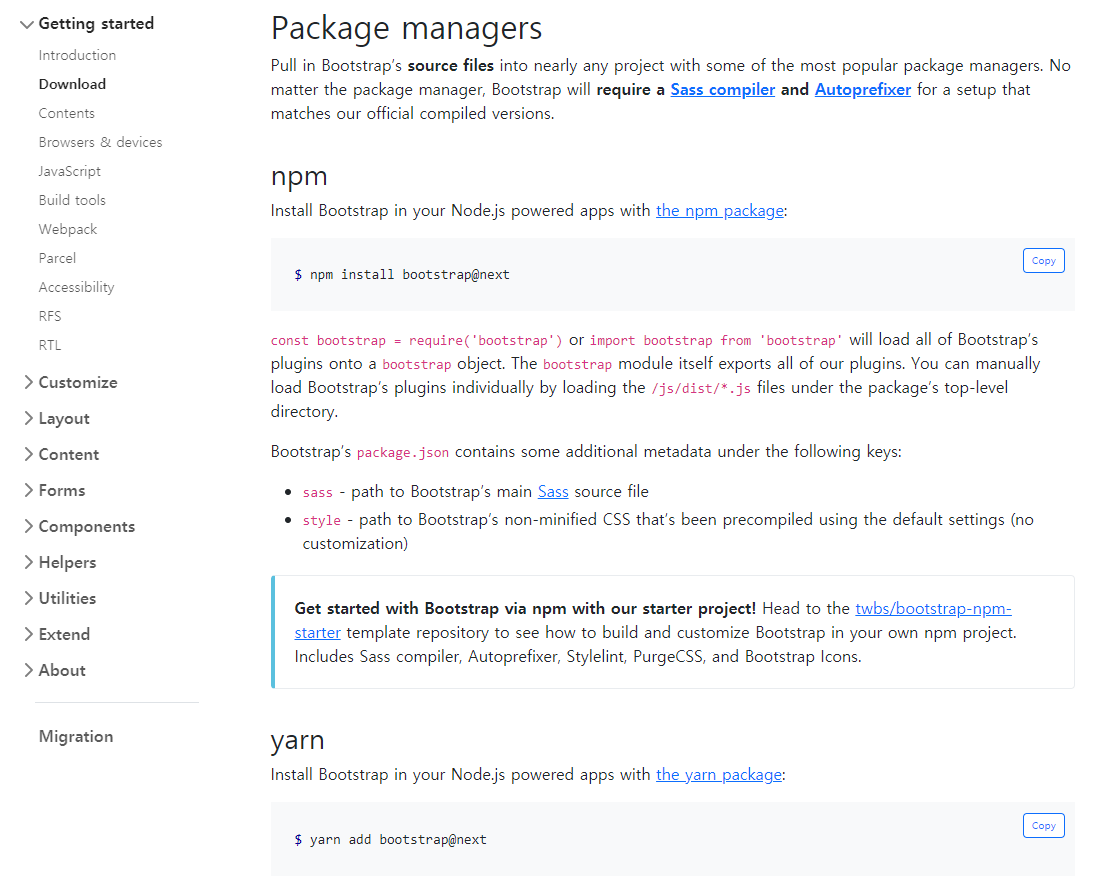
npm으로 터미널에서 Bootstrap 설치해준다. (2021.04기준)
설치 전에 serve를 켜뒀다면 c^로 종료후에 설치를 하자.
// Bootstrap 5.x
npm install bootstrap@next @popperjs/core

// Bootstrap 4.x
npm install bootstrap jquery popper.js
그리고 부트스트랩을 이용하기 위해서 main.js에 bootsrap을 import 해온다.
import { createApp } from 'vue'
import App from './App.vue'
import 'bootstrap'
import 'bootstrap/dist/css/bootstrap.min.css'

createApp(App).mount('#app')
반응형