Front-end/ReactNative
[ReactNative] 리액트네이티브 색상, 이미지, 구글폰트 넣기
이안92
2021. 3. 16. 13:25
반응형

색상
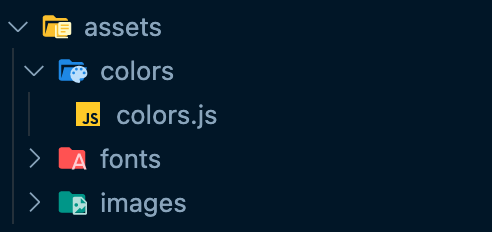
assets/colors라는 폴더를 만들어 colors.js 파일을 생성한다.
const colors = {
    black: '#000000',
    gray: '#666666',
    blue: '#1C215D',
}

export default colors;
자신이 원하는 색상을 넣어주고 export한 다음 import해서 사용하면 간단하게 StyleSheet에서 적용가능하다.
import colors from './assets/colors/colors';

const App.......

const styles = StyleSheet.create({
  sectionTitle: {
    fontSize: 24,
    fontWeight: '600',
    color: colors.blue,
    fontFamily: 'OpenSans-Bold',
  },
});
이미지
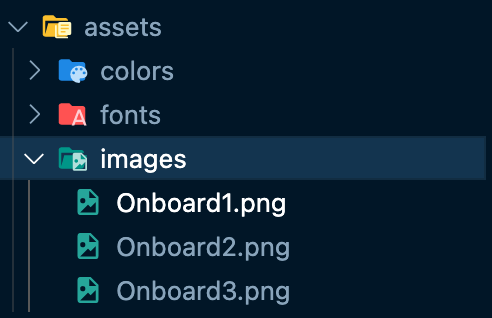
assets/images라는 폴더를 만들어 이미지를 폴더에 넣어준다음 import해오면 된다.
import {
  Text, .....
  Image,
} from 'react-native';

import onboard1 from './assets/images/Onboard1.png';

return (
  <Image source={onboard1} />
);
구글폰트
Google Fonts
Making the web more beautiful, fast, and open through great typography
fonts.google.com
원하는 폰트에 들어가서 상위 Download Family 버튼을 클릭해서 다운받는다.

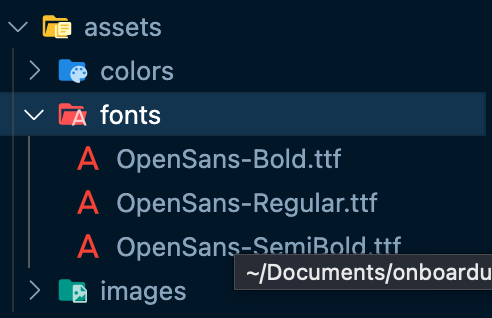
압축을 풀고 프로젝트안에 assets/fonts라는 폴더를 만들어 원하는 스타일을 넣어준다. (regular, bold...)
그리고 루트 디렉토리에 react-native.config.js이라는 파일을 만들어 아래와 같이 코드를 입력한다.
module.exports = {
    project: {
        ios: {},
        android: {},
    },
    assets: ['/assets/fonts']
};
그러면 아래와 같이 StyleSheet에 폰트를 지정해주면 알아서 적용이된다.
const styles = StyleSheet.create({
  sectionTitle: {
    fontSize: 24,
    fontWeight: '600',
    color: colors.blue,
    fontFamily: 'OpenSans-Bold',
  },
});
반응형